
Diese Seite ist noch nicht übersetzt – sie wird angezeigt auf: English.
USB Interface
The USB interface on the Blub Nixie Clock provides additional functionality:
- Firmware update
- Faster/easier settings of the clock parameters
- Access to additional parameters of the clock
To control the clock over USB, you can use either our configurator in the browser or a serial line (Putty, Hterm, etc..).
Configurator in the browser
Connect the clock to a computer with its USB cable, open the configurator in Chrome, Edge or Opera (or Firefox 151 and newer) and click Connect. Every change is saved in the clock straight away, nothing needs to be installed.
Serial Communication
Configuration of the serial line connection:
- 8 data bits, no parity, one stop bit (default Arduino settings)
- 9600 bps
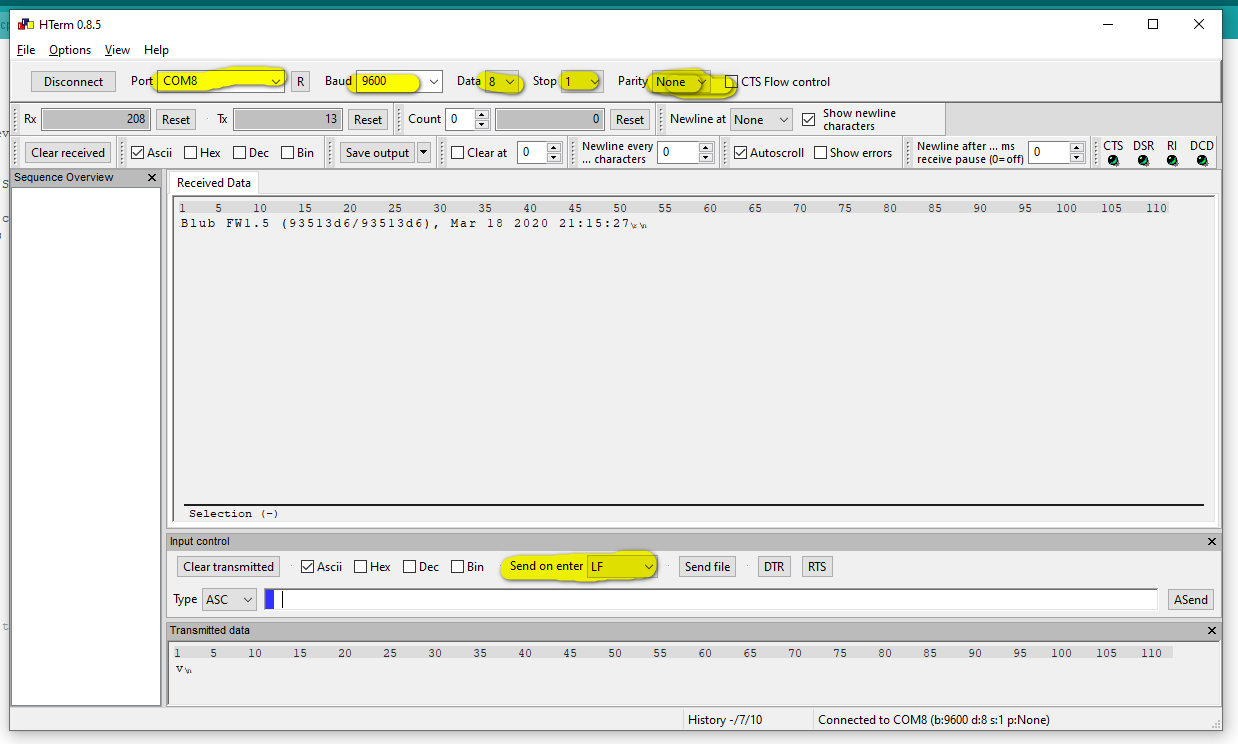
Parameters for serial communication:
- v: print version of current firmware in the clock and its compilation date
- e: clear EEPROM and all settings in the clock
- d: display a custom number, e.g. d6 displays 6 on the tube, d10 returns the clock back to time mode
- t: set the time by giving a UNIX timestamp as an input, e.g. t1570323600
- f: set format: f1 for 12h, f2 for 24h
- s: set display speed (1-9), e.g. s1 to fastest, s9 slowest
- m: set transition of the display (values 1-3)
- n: set night mode brightness (0-9, 0 = tube off)
- o: set day mode brightness (0-9, 0 = tube off)
- r: set night mode time range (HHhh) in 24h time format, e.g. r2107 to set the range from 21:00 to 07:00
- z: set a time-zone (behavior of DST), values 0-5 (0: NO DST, 1:US-style DST, 2:EU-Style DST, 3:Mexico, 4:Australia, 5:New Zealand)